
Desktop Explorer review
- 0 Comments

Fake-OS mystery masterfully computes complex puzzles into a deeply human narrative experience
When I first laid eyes on Desktop Explorer years ago at a PAX West convention, it immediately stood out in the massive indie booth with its gigantic CRT monitor and chunky keyboard. This dedication to mid-90s aesthetics wasn’t relegated to just the hardware either, as the entirety of the demo showcased the numerous ways players would be utilizing the various capabilities of the period’s in-game operating system to unearth solutions for deviously designed challenges while unraveling a dark mystery. Even from that early build, I could sense a laser-focused vision and the potential for a unique adventure, and I had been looking forward to seeing if the developers at Recurring Dream could pull it off.
Now that Desktop Explorer has been released, I am happy to say that the team exceeded my expectations with an engaging story propelled by intricate OS-based brainteasers that are seamlessly integrated into the gameplay. Not every puzzle hits the sweet spot of difficulty for me, with some feeling like major roadblocks that broke up the pacing a bit too much and the in-game hints only giving a slight nudge when I needed a bigger launch forward to get over the hump in those cases. But even when I was stumped, the authentic-feeling Windows 95-esque interface transported me back to the days when I would mess around on the family computer in between attempting Myst with my dad. This game doesn’t rely solely on nostalgia to succeed, though, instead weaving it into the storytelling with believable dialogue you’re uncovering decades after it was first ostensibly typed out. Taken as a whole, this is an incredibly satisfying puzzle game that installs itself in your brain and stays there until the credits roll.
It starts with an in-game system bootup mimicking the startup of an old 1995 desktop PC, and you quickly learn that this is not your own computer but rather your Uncle Hal’s (nicknamed “Halibut,” who gave you your nickname “Guppy.”). Shortly before the narrative takes place, Hal was checked into intensive care due to advancing dementia after dealing with dissociative amnesia ever since a traumatic event. Before leaving, Hal left you his old computer with a note saying he kept a chronicle on it that helped keep his lucid thoughts together, and that he’d dug into a strange program called “Desktop Explorer,” which he vaguely remembers being related to the disappearance of someone important to him. Now you’re trying to finish what he started and unravel the truth of not only what happened to your uncle, but who the mysterious previous users of the computer were and what connection they have to your uncle’s past.
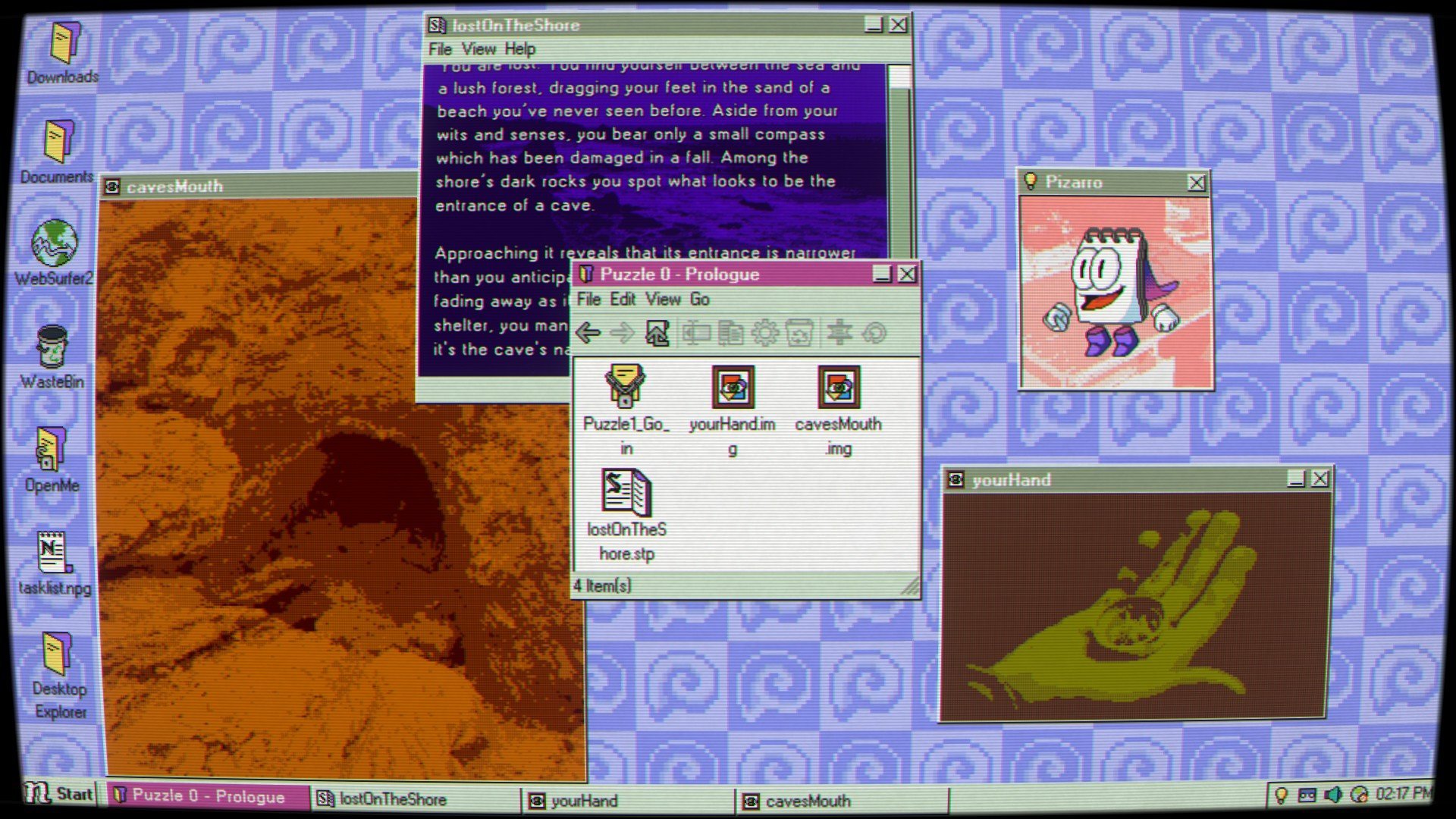
The game's multi-layered story unfolds entirely through the old desktop screen, complete with authentic CRT scan lines filtered over the top. Its 10-12 hours play out across three acts, each focused around one of the computer’s previous users: Uncle Hal himself, a mysterious girl named Max, and an initially nameless Administrator. Not only does the narrative change focus depending on which act you’re playing, but the gameplay shifts in dramatic ways according to which user you’re logged in as: Hal’s section plays out largely like a classic text adventure with still screenshots depicting the areas you’re exploring, while Max’s section unfolds largely through a long-defunct 3D chat room game called NextRooms, with the shorter Administrator’s section taking still another approach. Rather than constrained to simply solving riddles or calculating math problems, this game utilizes its entire operating system setup to create truly mind-bending puzzles that had me consistently rethinking how I approached its challenges.
Upon first installing the in-game Desktop Explorer program, you are greeted by a Clippy-styled talking notepad with a superhero cape named Pizarro, who tells you he will be your guide in various puzzles relating to standard computer usage. Each puzzle has a deceptively simple goal: find the password denoted in “{}”s, and input it in the password pop-up window to progress. However, with the entire game taking place across various programs on an aging desktop, you will have to think outside the box to find where these hidden passwords are located.
Early on, for instance, you have to check the source code of the text adventure program Storyteller+ in order to scour its data for a code. A NextRooms control panel requires using “Sketchy” (this game’s version of Microsoft Paint) to fill in the missing components, while another puzzle requires you to duplicate photo files in order to escape from a labyrinthine maze in Desktop Explorer to progress deeper into its mysteries. I won’t spoil all the ways this game builds clever conundrums for you to tackle, but there are plenty of surprises that have fun with the specific Windows 95 aesthetic, including some screensaver-based scenarios and one that utilizes a seemingly simple connect-the-dots rabbit image, which results in my personal favorite password discovery.
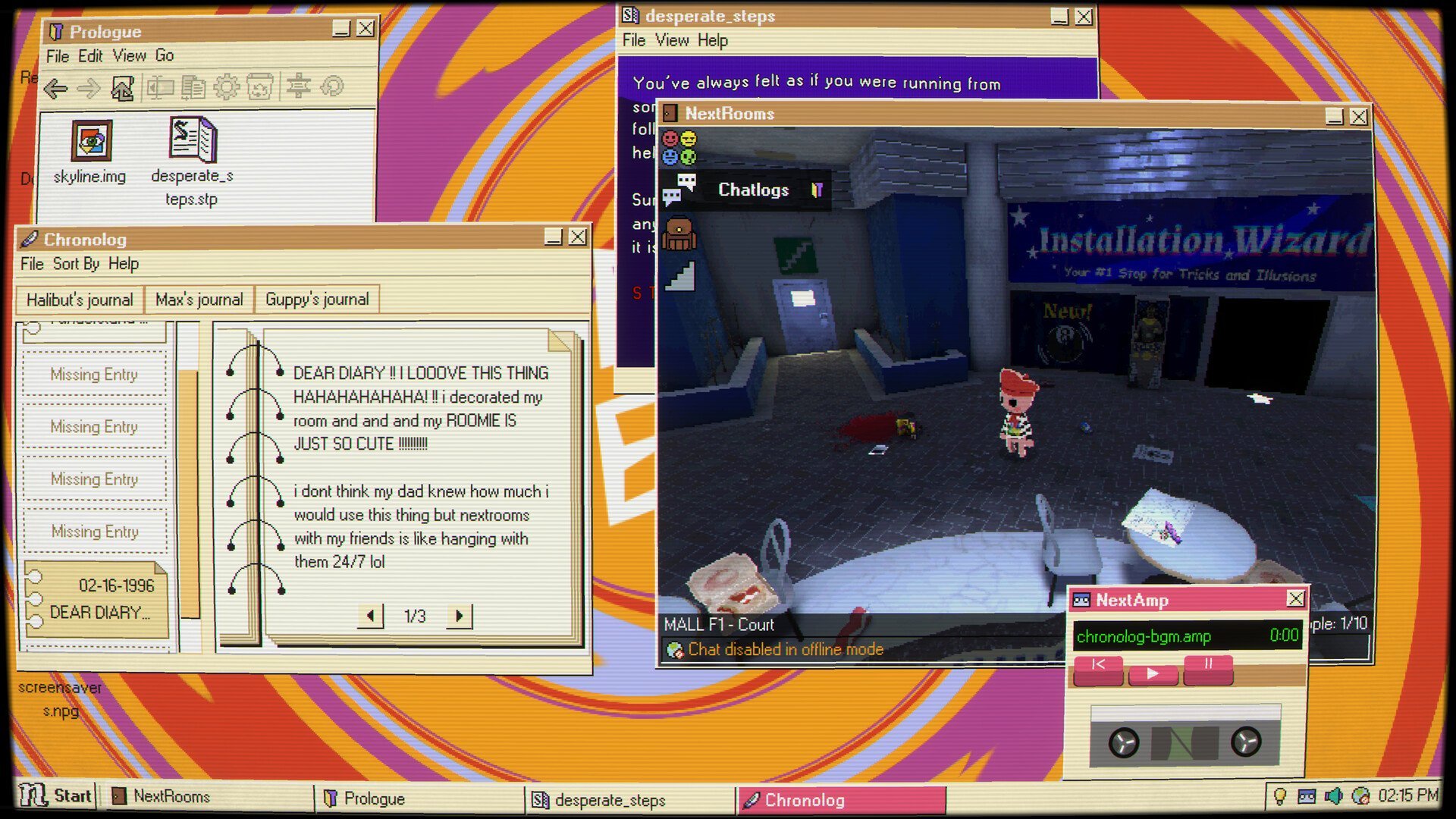
Most of the game is played through keyboard and mouse inputs, with you having to type out answers or modify files via clicking and viewing files with the cursor. Some sections like the NextRooms area require traditional WASD movements, but the controls are simple and work great for each scenario.
While many of the multi-program solutions are satisfying to crack, quite a few puzzles I found left the realm of enjoyable challenge and felt more like hitting my head against a brick wall over and over. One particularly difficult scenario involving a draining hourglass and a variety of associated symbols and numerical values had me running various calculations, trying new angles and scouring everywhere to find any helpful detail I may have missed. I spent multiple hours across multiple days trying to brainstorm ways it could work before I ultimately resorted to a walkthrough – and even then I don’t think I would have come up with the answer myself without more context.
Desktop Explorer
| Genre: | Mystery |
|---|---|
| Presentation: | 2D or 2.5D, Slideshow |
| Theme: | Technology |
| Perspective: | First-Person |
| Graphic Style: | Illustrated realism |
| Gameplay: | Hacking, Puzzle |
| Control: | Point-and-click |
| Game Length: | Long (more than 10 hours) |
| Difficulty: | High |
That isn’t to say there aren’t hints in-game; in the source code of most Storyteller+ screens you can find clues that point you in the right direction, and Pizarro himself offers some clues when prompted to give you an idea of what computer program to try. But I often found myself needing more hints on puzzles I was having major problems solving. As a result, the at-times brutal difficulty can feel like you’re hitting the brakes all too often when the mystery is begging you to continue delving further.
The halting pace is even more noticeable due to how incredibly engrossing the story is. Each act plays into the others with surprising connections that become apparent as you learn more about the mysterious Desktop Explorer program and why your uncle wanted you to keep looking into it even after he had forgotten the reasons himself. There is an ominous underlying sense of something bigger going on in the background, which motivated me to keep going and kept me guessing throughout.
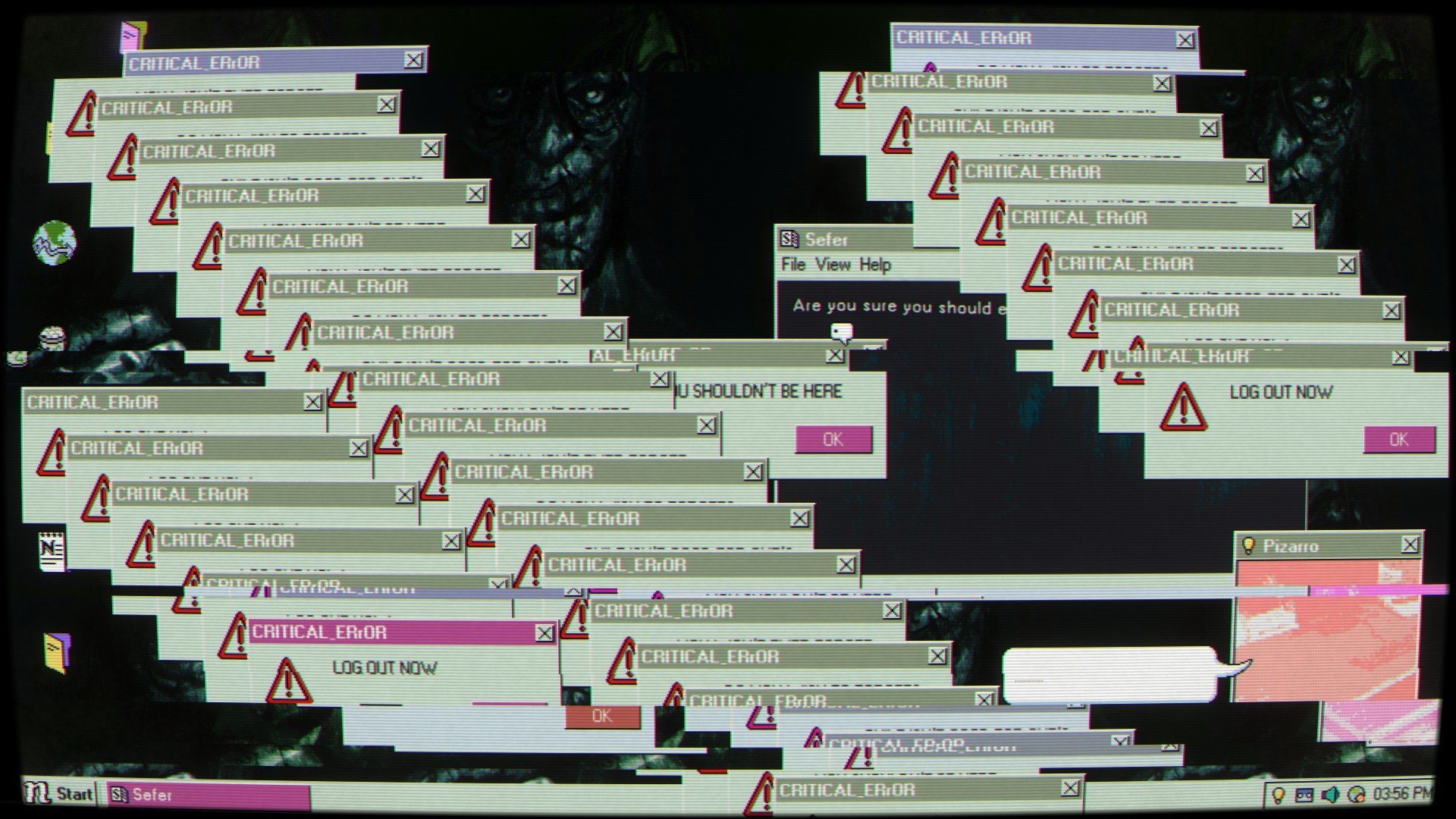
The tale is told primarily through journal pages recorded in the in-game “Chronolog,” which acts like a sort of diary for each character’s thoughts and experiences – including Guppy’s. You find Chronolog entries buried in the files of puzzle challenges, and the events outlined in personal notes begin to paint a fuller picture of what all of these puzzles mean and why your uncle had been working through these challenges in the first place. Outside of the Chronolog, you also find .IMG files that show old photos of characters and locations that give a glimpse of the world beyond the computer. There is an internet browser for each user that you control as well, and while full integration with the World Wide Web on the aging computer is long defunct, there is a cache of stored URL pages that are still viewable from when previous users first accessed them. It all adds depth to the background of these characters, while also reinforcing the feeling that you’re sleuthing your way through a mountain of secrets.
Exploring each user’s unique puzzles and histories is made even more engaging by the game’s antiquated desktop and faithful mid-90s operating system. Your first-person field of view is displayed with a curved CRT effect, and there are visible bits of dust around the four corners of the in-game monitor. Pop-up windows have toolbars with tabs for changing view or other edits, and can be dragged around and resized on your screen. At times I actually forgot I was using a fake operating system with how normal all of the UI details felt.
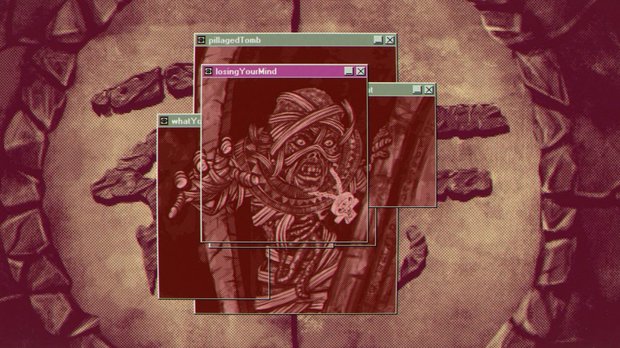
You can even add small touches of personalization, like changing the background wallpaper from pre-selected options and switching out the screensaver with homages to classics like the infinitely scrolling brick wall maze or the fish-filled aquarium. You’ll also unlock mini-games like MineSniffer, an obvious nod to Minesweeper. At no point does the game break the illusion, as every action you take feels like something you’re doing on an actual decades-old computer. My favorite section by far is in act two, where most of the puzzles take place through a long-dead chat room where the now-forever-offline software feels (and looks) more like an eerie abandoned mall than a thriving digital community. This is reflected in the almost horror-game-style feel as you guide a low-poly character in wandering around uncovering cached chat logs from a time long since passed.
Accompanying the entire game is a phenomenal soundtrack of understated electronic tracks that further add to the dreamlike atmosphere of piecing together stories from moments frozen in time. The track that plays when you read new Chronolog entries is a personal favorite, its solemn tune evoking a sense of loss representing Guppy’s own emotional state. Hal’s section will be especially impactful for those like me who have loved ones suffering from memory problems and know how bittersweet it can be when they experience a moment of lucidity before that moment slips away and the memory is gone. The sections of the game with a more horrific feel, with pop-ups of terrifying figures staring outward from the screen or pools of blood staining walls of the once-thriving mall-like NextRooms, have suitably unsettling scores. An in-universe 90s band called “The Sweaters” also has a few tracks that start to play while you’re making your way through some of edgy teenager Max’s sections. The tracks here are quite varied, and they all fit their respective story bits.
Your efforts ultimately lead to an incredibly satisfying finale that had me tearing up during the end credits – an impressive feat considering there isn’t a single line of voice acting. The writing feels incredibly human, reflecting struggles that I understand deeply. One particularly disturbing dialogue occurs in a chat log for NextRooms, where you have to sit idly by as a creepy adult using an online facade is attempting to prey on an unsuspecting teen. I was nearly yelling at the screen during that sequence, but like everything you uncover in-game, it is now just an echo of a conversation long past. You can’t change what happened before, but you may be able to make a difference for the future.
Final Verdict
Desktop Explorer is a captivating mystery that kept me glued to the screen for its entire runtime, and made me feel both like a genius and a complete idiot through its many brain-bending puzzles. Every aspect of its design feels authentic to my memories of the family computer nearly thirty years ago. The story evolves in surprising ways as you get ever closer to the truth, and it manages to do so while remaining deeply relatable in its telling. While difficulty is subjective, it’s unfortunate that not all puzzles thread the needle on challenge level. It’s great for players looking for tricky puzzles to crack, but I hope the developers choose to fine-tune the hint system further or even allow for easier difficulty options to avoid undue frustration. However, even as is, this is a relatively minor complaint compared to how polished and engaging the experience is overall. Regardless of how hard you find it, one thing is for certain: you’ll definitely be left feeling like an expert Desktop Explorer.
Hot take
Some conundrums may have you reaching for a dusty copy of “Windows 95 for Dummies,” but Desktop Explorer is a highly polished puzzle-based expedition into the depths of a computerized mystery spanning decades.
Pros
- Masterfully designed OS-based puzzles with mind-bending solutions
- Heartfelt story with deep mysteries that will keep you guessing
- Faithful Windows 95-esque interface that nails the aesthetic and feel
- Amazing soundtrack manages to feel both relaxing and unsettling
Cons
- Steep difficulty curve with limited hint assistance
- Pacing issues arise from difficult puzzles
Sam played Desktop Explorer on PC using a review code provided by the game's publisher.

- Advertisement
- Help support AGH by advertising with us







0 Comments
Want to join the discussion? Leave a comment as guest, sign in or register in our forums.
Leave a comment